CAM-TOOL V21.1: How to Reduce NC Programming Time and Optimize Toolpaths?
16/04/2026
CAM-TOOL V21.1 is a CAM software release focused on improving NC programming efficiency and optimizing toolpaths for mold machining and complex parts. Three key enhancements include faster copying of machining areas, automatic toolpath addition, and Model-in-Stock Calculation to help reduce unnecessary air-cutting movements.
Table of Contents
Table of Contents
In mold machining and complex surface machining, NC programming time depends on more than just part complexity. Repetitive setup tasks, inefficient toolpaths, and unnecessary non-cutting movements can all increase both programming time and machine cycle time.
An effective CAM software solution therefore needs to do more than generate NC programs. It should also help engineers reduce manual operations, improve toolpath control, and make better use of machining data.
CAM-TOOL V21.1 focuses on improving these key areas. Here are three notable enhancements and the practical benefits they bring to machining operations.
1. How Does CAM-TOOL V21.1 Reduce Machining Area Setup?
For molds or parts with multiple pockets and similar surfaces, engineers often need to define Machining Surfaces and Machining Boundaries for different machining areas. As the number of areas increases, these repetitive setup tasks can take up a significant amount of NC programming time.
CAM-TOOL V21.1 allows engineers to copy Machining Surfaces and Machining Boundaries, enabling existing setup data to be reused for similar machining areas.
Engineers can:
Copy Machining Surfaces.
Copy Machining Boundaries.
Reuse setup data for similar machining areas.
Reduce the need to recreate settings from scratch.
Instead of repeating the same setup process for each area, engineers can reuse existing configurations and spend more time reviewing and optimizing the machining strategy.
Key benefit: shorter NC programming time, fewer repetitive setup tasks, and greater consistency across machining areas.
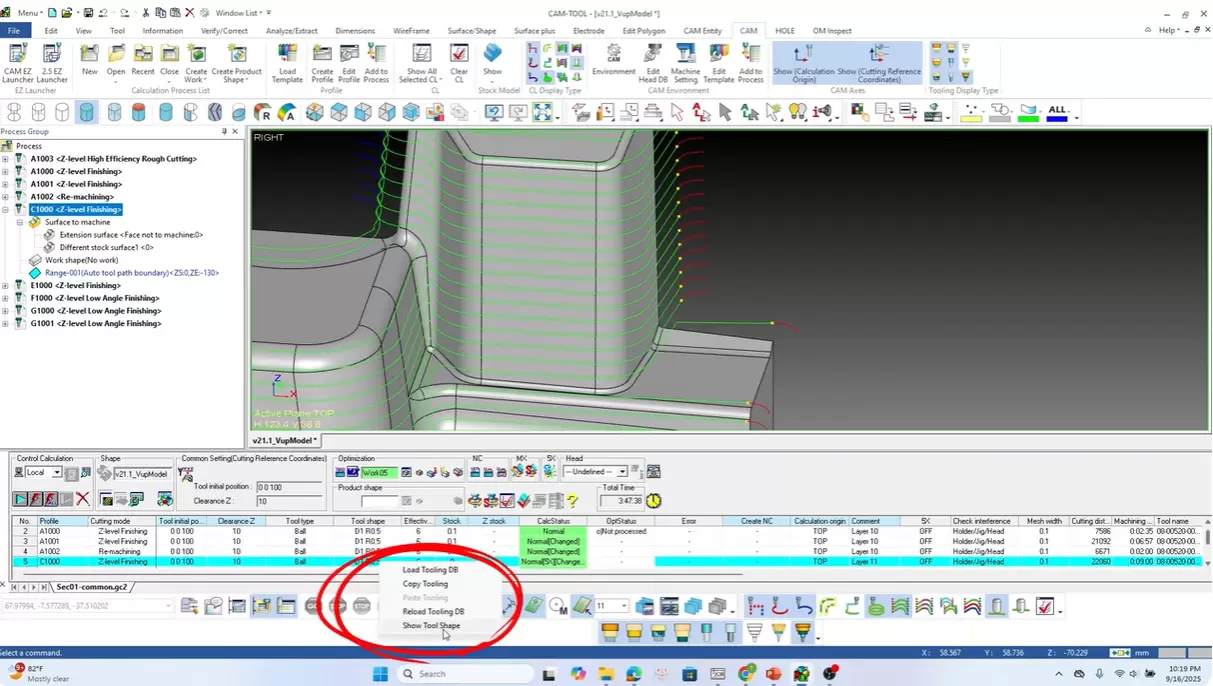
Copy Tooling further reduces tool setup operations during NC programming in CAM-TOOL V21.1.
2. How Can Toolpaths Be Better Controlled on Complex Surfaces?
When machining complex surfaces, the distance between tool passes can affect cutting load, process stability, and surface quality.
CAM-TOOL V21.1 can detect areas where the tool contact step exceeds the specified threshold and automatically add the necessary toolpaths.
This capability helps engineers:
Detect areas that exceed the specified threshold.
Automatically add toolpaths where necessary.
Better control machining conditions.
Reduce the time required to check and adjust NC programs.
The key advantage is that engineers can address these issues during the programming stage, rather than waiting until trial machining to identify and correct them.
For complex geometries, better toolpath control can also help reduce the risk of excessive cutting loads, maintain more stable cutting conditions, and improve machined surface quality.
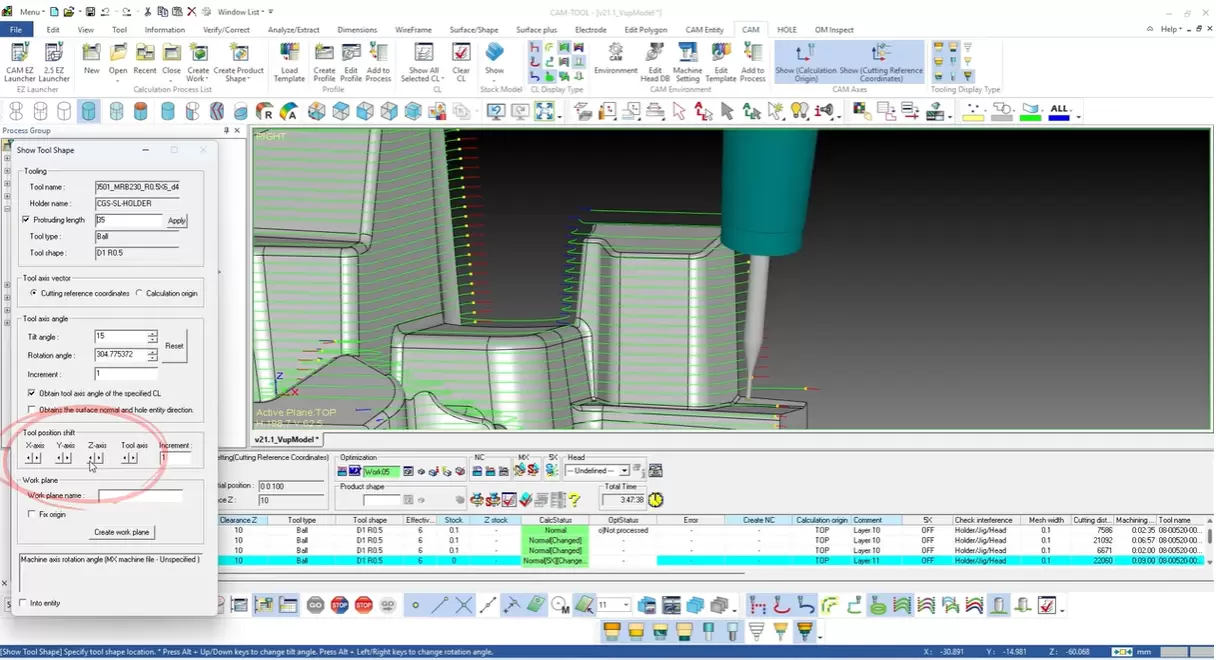
CAM-TOOL V21.1 supports better toolpath control when programming complex surfaces.
3. How Does Model-in-Stock Calculation Help Reduce Air-Cutting?
A tool that is moving without cutting material is still consuming machine time.
This is a common issue when an NC program contains excessive air-cutting movements between machining areas or operations.
To reduce these unnecessary movements, CAM-TOOL V21.1 introduces Model-in-Stock Calculation, which helps identify the remaining material after each machining operation.
Based on this data, the software can:
Identify the actual remaining material.
More accurately determine the areas that still require machining.
Reduce unnecessary air-cutting movements.
Optimize toolpaths for subsequent operations.
As a result, toolpaths can be calculated more closely according to the actual stock condition after each machining step, rather than moving through areas where cutting is no longer required.
The direct benefits include less air-cutting, shorter machining time, and improved CNC machine utilization.
What Value Does Toolpath Optimization Bring to CNC Machining?
Toolpath optimization is not simply about creating a shorter NC program. More importantly, it aims to reduce operations and movements that do not add value throughout the machining process.
The three CAM-TOOL V21.1 enhancements address different stages of the process:
Enhancement
Key benefit
Machining Surface & Boundary
Reduces repetitive setup
Automatic toolpath addition
Improves toolpath control
Model-in-Stock Calculation
Reduces air-cutting and machine time
From machining area setup → toolpath generation → remaining stock control, machining data can be used more effectively to help engineers optimize NC programs.
This also reflects an important direction in the development of CAM software: moving beyond toolpath generation to help engineers program faster and improve actual machining efficiency on CNC machines.
For mold manufacturers and companies machining complex parts, incremental improvements at each stage can add up to meaningful gains in programming time, machine cycle time, and overall productivity.
When Should Companies Consider Optimizing Their NC Programming Process?
If CAM programming still requires significant time for repetitive operations, it may be a sign that the company should review how its NC programs are created and optimized.
This is particularly relevant when engineers frequently encounter issues such as:
Repeatedly setting up similar machining areas.
Making multiple toolpath adjustments for complex surfaces.
Excessive air-cutting movements in NC programs.
Difficulty further reducing NC programming and machine cycle times.
Improving these areas can help engineers work more efficiently while also increasing CNC machine utilization and overall machining productivity.
CAM-TOOL is developed specifically for mold machining and complex surface machining, with capabilities that support the process from NC programming to toolpath optimization.
👉 If your company is facing these challenges, contact New System Vietnam to discuss your machining requirements and experience a CAM-TOOL demo based on your actual production needs.
CAM-TOOL V21.1 introduces enhancements that help reduce repetitive machining area setup, improve toolpath control, and optimize toolpaths based on the remaining stock condition, helping shorten both programming and machining time.
What is Model-in-Stock Calculation?
Model-in-Stock Calculation identifies the remaining material after each machining operation. This information can then be used to determine which areas still require machining, reduce unnecessary air-cutting, and optimize subsequent toolpaths.
What types of machining is CAM-TOOL suitable for?
CAM-TOOL is suitable for mold machining, precision machining, and parts with complex surfaces, particularly applications with demanding requirements for toolpath accuracy and surface quality.