













What are CAD, CAM, CAE, and PLM? Decoding the "Technology Quartet" in Modern Manufacturing
If you're new to the world of engineering or manufacturing, you've likely come across acronyms like CAD, CAM, CAE, and PLM.
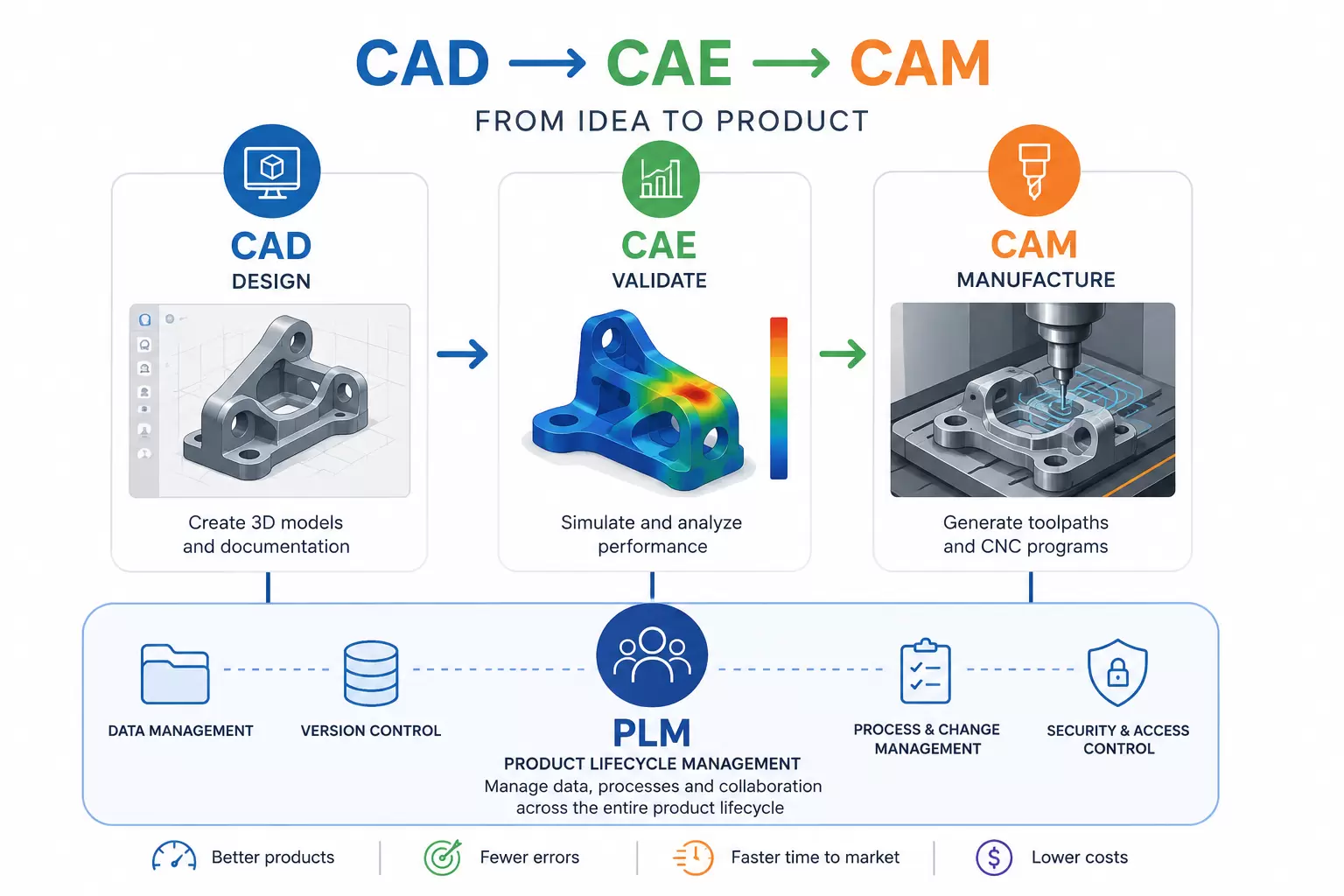
From an initial idea to a finished product, the development process involves multiple stages—from design and validation to manufacturing preparation and the management of large volumes of product data. This is where CAD, CAE, CAM, and PLM each play an important role.
Simply put:
- CAD – creates product drawings and 3D models.
- CAE – simulates and validates designs.
- CAM – prepares manufacturing data and machining programs.
- PLM – manages product data, changes, and lifecycle information.
Each technology addresses a different part of product development, but together they can create a connected, end-to-end process. Let’s take a closer look at each one.
1. CAD – From Idea to Product Model
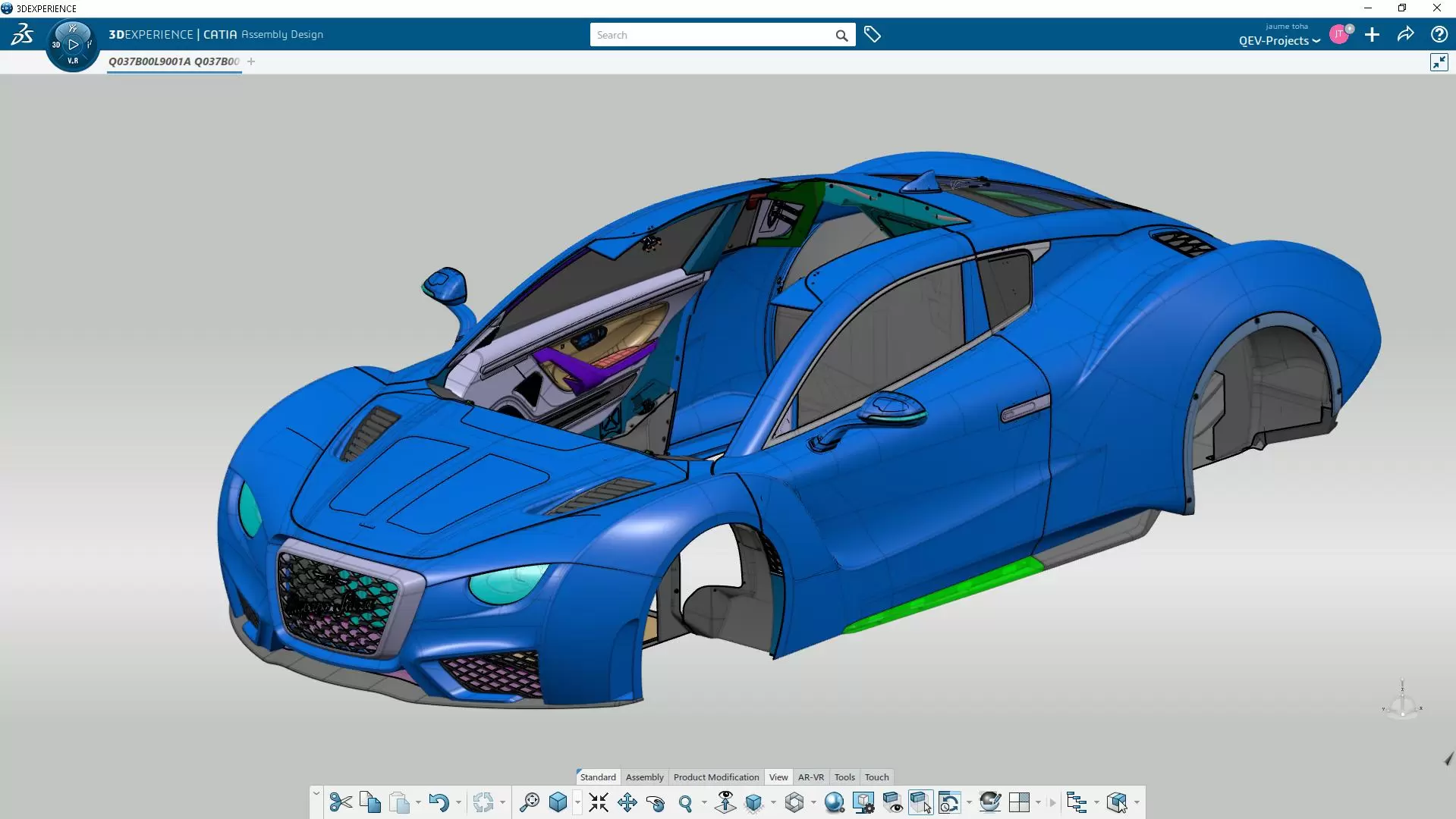
CAD (Computer-Aided Design) is technology that enables engineers to create and modify 2D drawings and 3D models on a computer.
Instead of manually redrawing a design whenever something changes, engineers can directly adjust dimensions and geometry, check component positions, and evaluate assemblies within the digital model.
For example, when developing an automotive component, CAD can be used to build the 3D model and refine its geometry before the design moves to validation or manufacturing preparation.
CAD is widely used in industries such as:
- Automotive and aerospace
- Mechanical engineering and mold & die
- Electrical and electronics
- Industrial machinery and equipment
Popular CAD solutions include CATIA, SOLIDWORKS, Creo, AutoCAD, DraftSight, and CADmeister. New System Vietnam provides solutions such as CATIA on the 3DEXPERIENCE platform, CADmeister, CADdoctor, and DraftSight for a wide range of design and engineering data requirements.
2. CAM – From Design Model to Manufacturing
If CAD answers the question “How should the product be designed?”, CAM focuses on “How can that design be manufactured?”
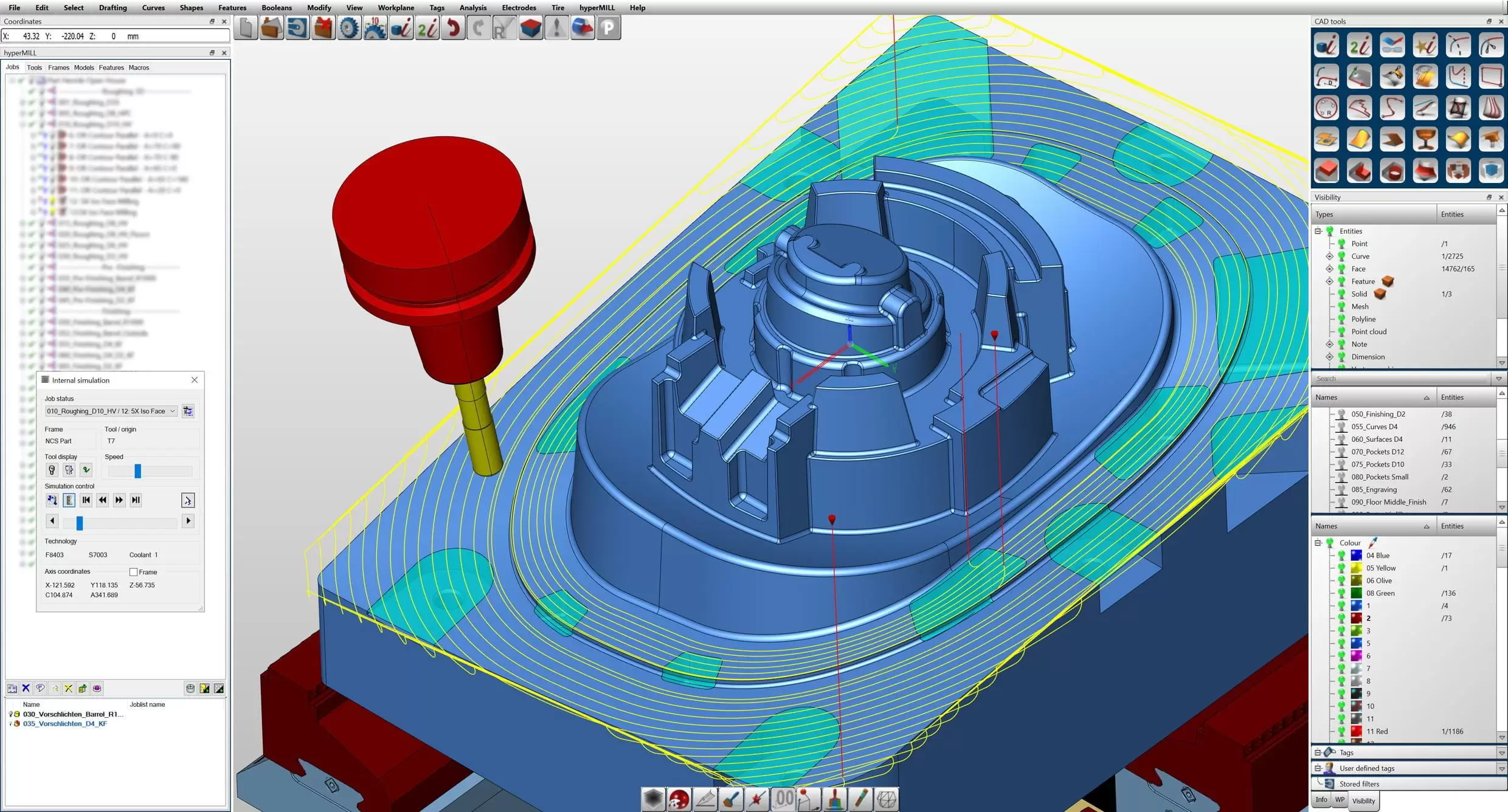
CAM (Computer-Aided Manufacturing) uses design data to support manufacturing programming, including toolpath generation and CNC machine programming.
For example, once a mold component has been fully designed, its data can be transferred to CAM to calculate toolpaths and prepare the machining program. This allows existing design data to be reused rather than recreated from scratch.
CAM is commonly used for:
- CNC machining programming
- Toolpath generation and optimization
- Machining simulation
- Collision and machining error prevention
Common CAM solutions include CAM-TOOL, Mastercam, NX CAM, and Fusion 360. New System Vietnam provides CAM-TOOL for mold and die machining, together with VERICUT for CNC simulation and NC program verification before actual machining.
3. CAE – Validating Designs Before Manufacturing
A geometrically complete 3D model does not necessarily mean that the product will perform as expected in real-world conditions. Can it withstand the required loads? How will temperature affect it? Will deformation, vibration, or fluid-flow issues occur?
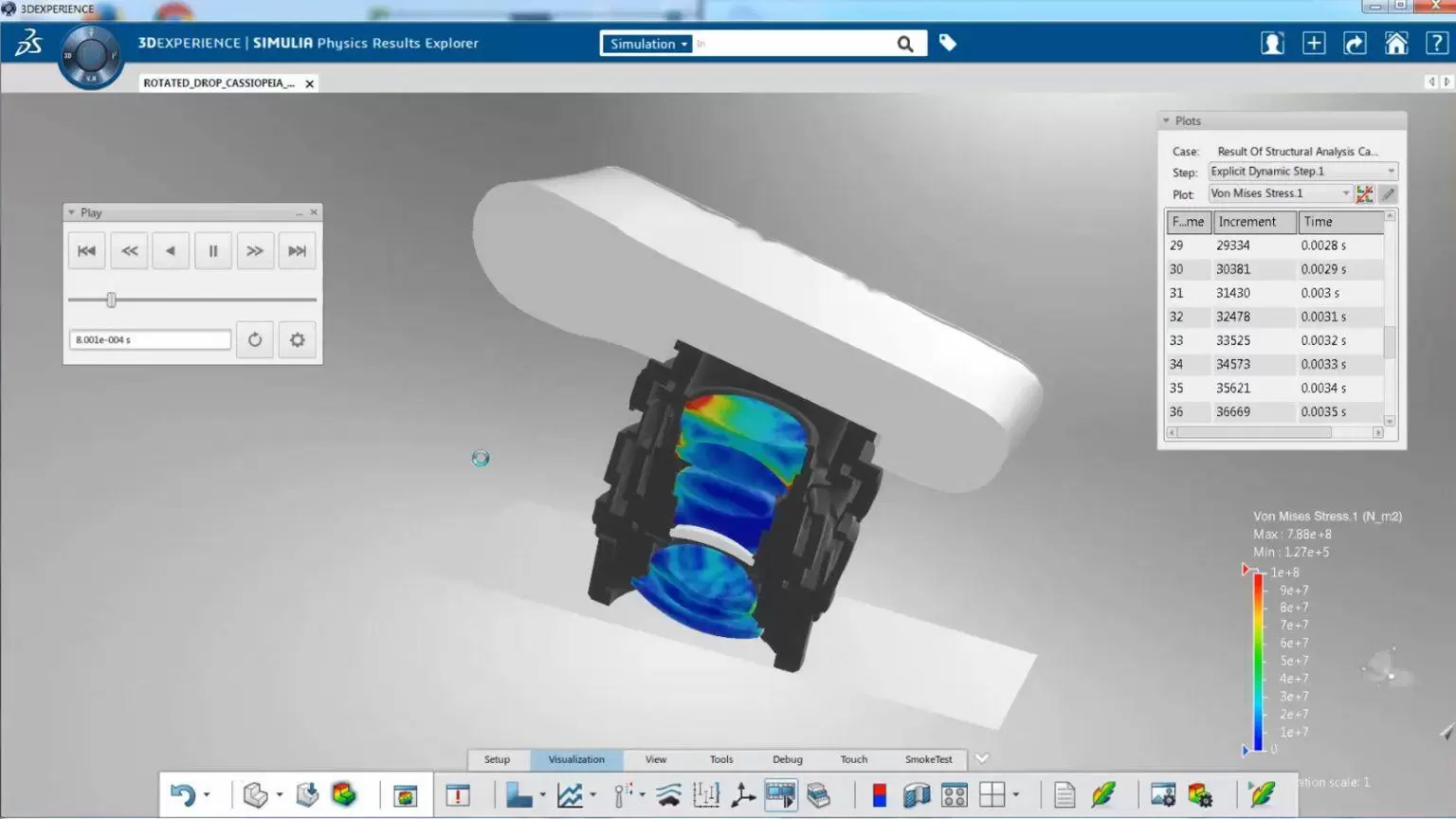
These are the types of questions that CAE (Computer-Aided Engineering) helps engineers answer through computer-based simulation and analysis.
Depending on the engineering challenge, CAE can be used to evaluate:
- Strength, stress, and deformation
- Thermal behavior and heat transfer
- Motion, vibration, and impact
- Fluid flow
- Electromagnetic behavior
Rather than waiting until a physical prototype is produced to identify a problem, engineers can use simulation results to improve the design earlier in the development process.
Popular CAE solutions include SIMULIA, ANSYS, Altair, COMSOL, and JMAG. New System Vietnam provides SIMULIA solutions, including Abaqus and CST, as well as JMAG, for structural, electromagnetic, and other engineering simulation applications.
4. PLM – When Managing a Product Means More Than Managing Drawings
Managing a few engineering drawings may be relatively straightforward. But as projects grow, dozens of engineers may work together, while every design change creates new versions, documents, and information that must be communicated across different teams.
At this point, the challenge is no longer just designing the product. It is also about managing product data and changes throughout its lifecycle.
PLM (Product Lifecycle Management) helps organizations manage product-related information throughout the lifecycle, including:
- Engineering drawings and technical documents
- Versions and change history
- Approval workflows
- Access permissions
- Cross-functional collaboration
For example, when a component is modified, PLM can maintain the new version and its change history while making the appropriate information available to relevant teams. This becomes increasingly important as projects grow and more departments become involved.
Popular PLM systems include ENOVIA, Teamcenter, Windchill, and Aras Innovator. Within the Dassault Systèmes ecosystem, ENOVIA on the 3DEXPERIENCE platform supports product data management and collaboration throughout the development process.
How Are CAD, CAE, CAM, and PLM Connected?
A common misconception is that these four technologies are completely separate stages or that one can replace another.
A simple way to understand their relationship is:
CAD – Design → CAE – Validate → CAM – Manufacture
Meanwhile, PLM manages product data and changes throughout the process.
| Technology | Key Question |
|---|---|
| CAD | How should the product be designed? |
| CAE | Does the design meet the required performance? |
| CAM | How will the product be manufactured? |
| PLM | How are product data and changes managed? |
When data is effectively connected across these activities, engineers spend less time recreating, converting, or manually checking information between different systems. More importantly, teams can work with more consistent product data throughout the development process.
Conclusion
CAD, CAE, CAM, and PLM do not replace one another. CAD creates the design, CAE validates it, CAM prepares it for manufacturing, while PLM manages product data and changes throughout the process.
Depending on their scale and specific challenges, companies can start with one or several solutions rather than implementing everything at once.
With more than 20 years of experience, New System Vietnam provides and implements solutions for product design, simulation, machining, and product data management, including CATIA, SIMULIA, CAM-TOOL, VERICUT, ENOVIA, and the 3DEXPERIENCE platform.
👉 Contact New System Vietnam to discuss solutions that fit your current product development process and business requirements.
Frequently Asked Questions
What is the difference between CAD and CAM?
CAD is used to create and modify product designs, while CAM uses design data to prepare machining programs for equipment such as CNC machines.
What is the difference between CAD and CAE?
CAD focuses on creating product geometry and models. CAE uses those models to simulate, analyze, and validate product performance under different conditions.
Is PLM a CAD software?
No. CAD focuses on product design, while PLM focuses on managing product data, versions, engineering changes, and related processes.
What is the difference between PLM and ERP?
PLM primarily focuses on product data and lifecycle processes, while ERP manages broader business resources and operations such as finance, procurement, inventory, and production.
Do companies need to implement CAD, CAE, CAM, and PLM at the same time?
Not necessarily. Companies can implement solutions according to their current needs and expand over time. The key is to identify existing process bottlenecks and ensure that data can remain connected as the system evolves.
Related posts
AI in R&D: What Should Companies Prepare for Effective Implementation?

Can AI Replace Design Engineers? The Future of AI in Engineering
How to Shorten Product Development Time: 5 Critical Factors Companies Often Overlook
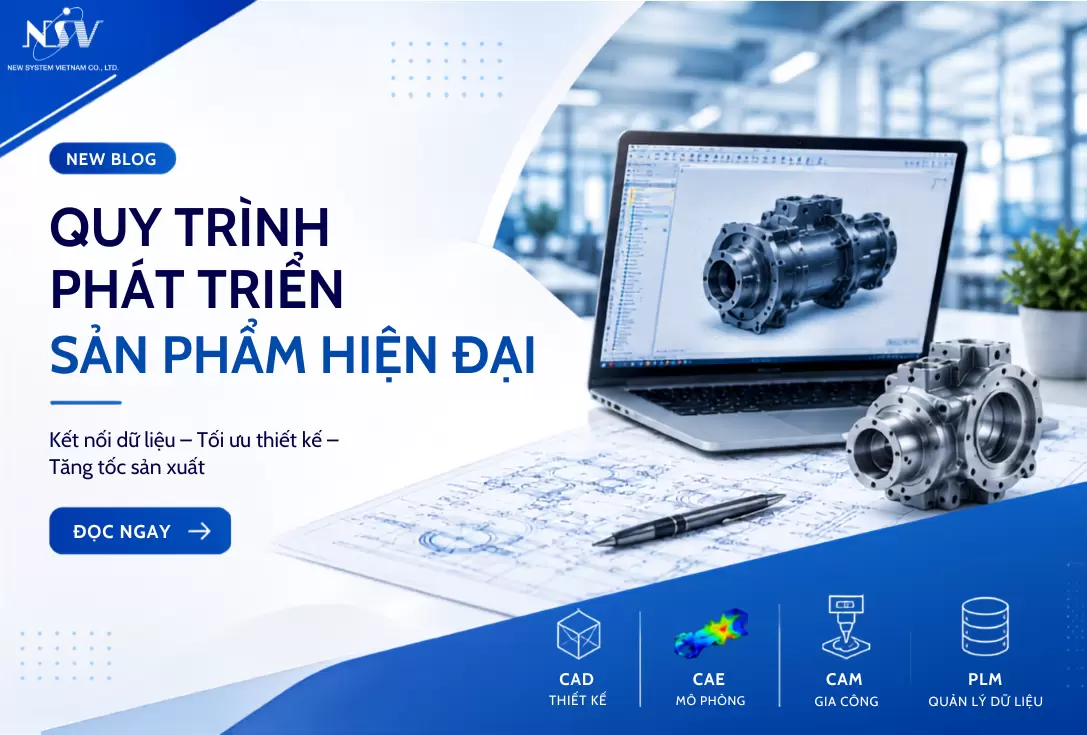
Modern Product Development: Why Many Manufacturers Still Face Product Launch Delays