












What Is CAM Software? How to Choose CAM for CNC Machining
What is CAM software? Learn its role in CNC machining, how to choose the right solution, and compare CAM-TOOL, CADmeister, and Excess Hybrid.
CAM (Computer-Aided Manufacturing) is the use of software to support programming and data preparation for manufacturing. In CNC machining, CAM software helps engineers define machining strategies, generate toolpaths, and create NC programs from design data.
As parts become more complex and requirements for accuracy and surface quality increase, machining efficiency depends on more than just CNC machine performance. Programming methods, toolpath quality, and the connection between design and manufacturing data can also directly affect machining time and overall productivity.
However, there is no single CAM solution that fits every company. Complex 3D mold machining, integrated mold design and manufacturing, and toolpath optimization all require different capabilities.
So, what role does CAM software play in CNC machining, and how should companies choose the right solution?
1. What Role Does CAM Software Play in CNC Machining?
In a manufacturing workflow, data from technical drawings or CAD models needs to be translated into information that CNC machines can use to perform machining operations.
This is one of the key roles of CAM software.
A typical workflow can be illustrated as:
CAD → CAM → NC Program → CNC Machine
Depending on the solution and machining method, CAM can help engineers:
- Define machining areas and strategies.
- Select cutting tools and machining conditions.
- Generate and control toolpaths.
- Create NC programs for CNC machines.
- Check and optimize machining operations before sending programs to the machine.
Therefore, the value of CAM goes beyond simply generating NC programs. An effective CAM workflow can also reduce repetitive programming tasks, improve toolpath control, and minimize unnecessary machine movements.
For molds and parts with complex geometry, toolpath quality can also directly affect machining time and the resulting surface quality.
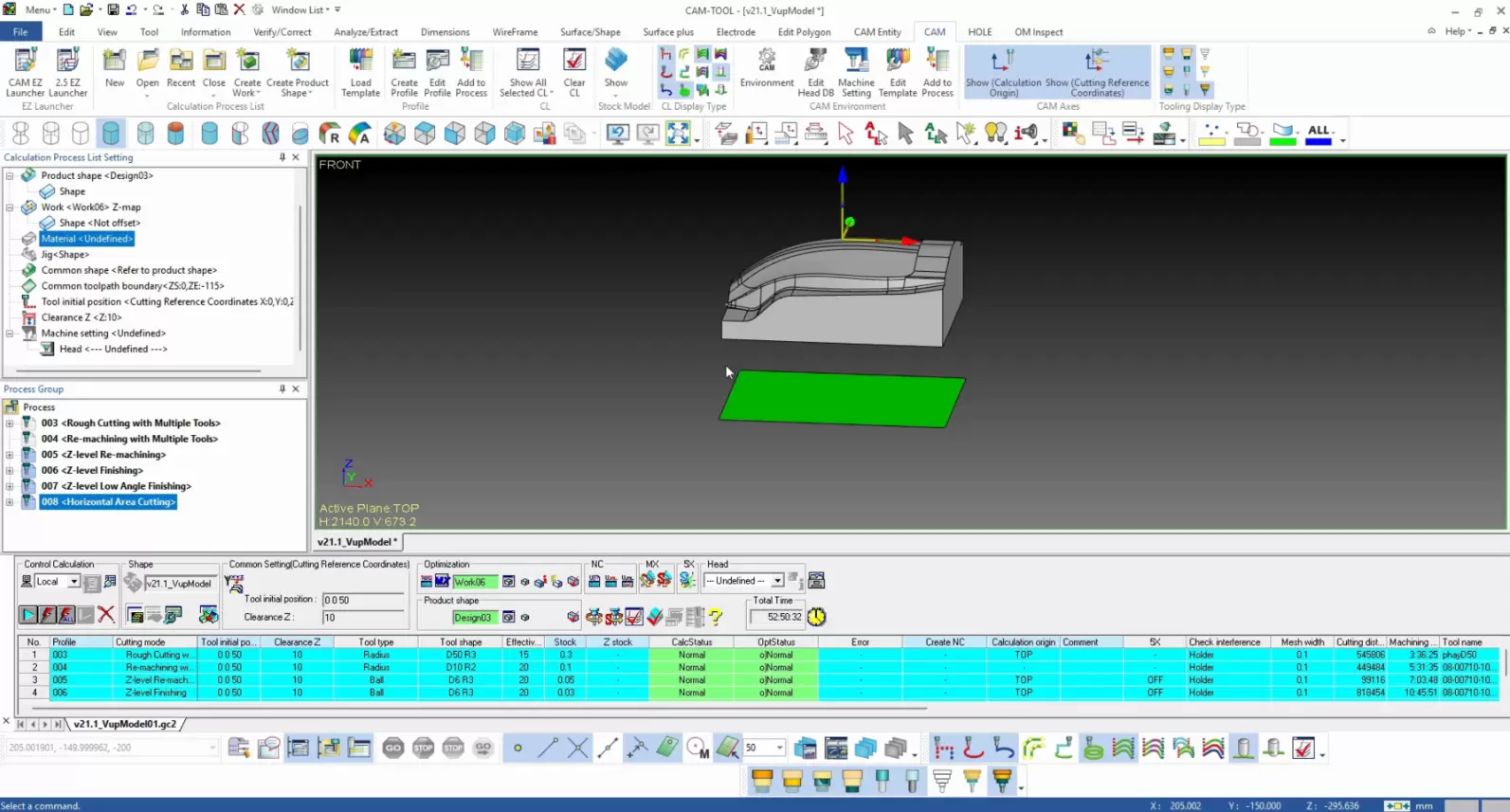
2. CAM-TOOL – Specialized CAM for Mold Machining and Complex 3D Surfaces
In mold machining, one of the major challenges is generating suitable toolpaths for complex 3D surfaces while maintaining accuracy and surface quality.
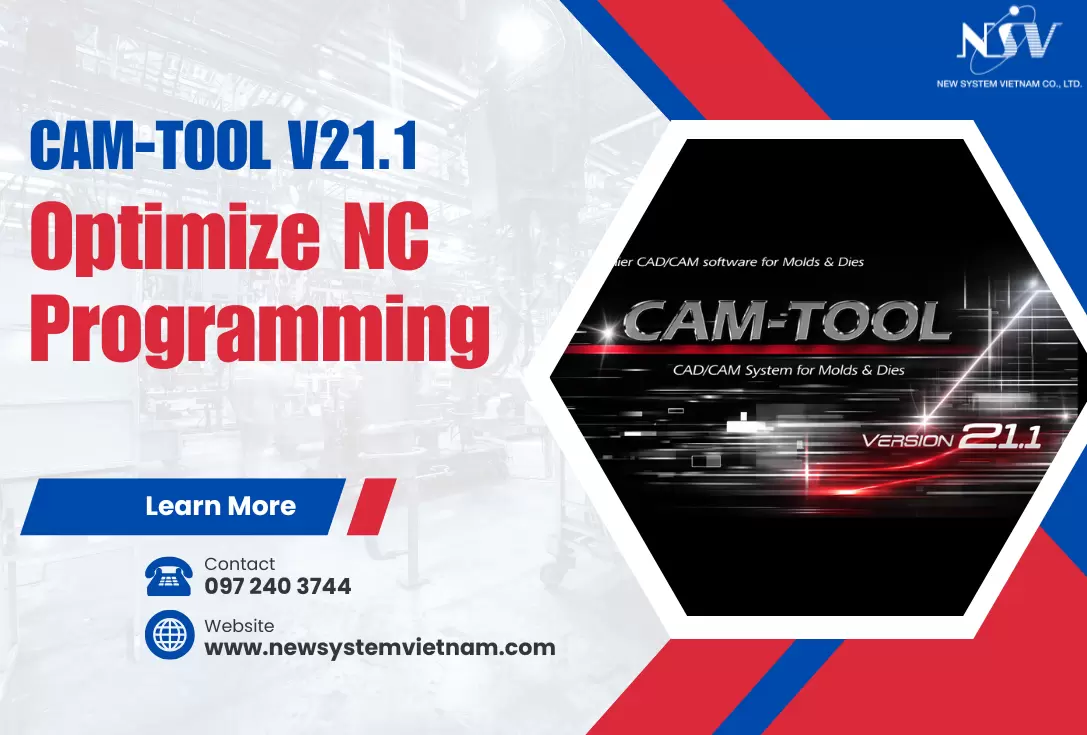
CAM-TOOL is specialized CAM software for mold machining, with a strong focus on generating and controlling toolpaths for complex geometries.
The software supports requirements such as:
- Machining molds and complex 3D surfaces.
- Generating and controlling toolpaths.
- Reducing unnecessary tool movements.
- Controlling surface quality after machining.
- Optimizing the NC programming process.
For example, when machining a mold with multiple curved surfaces or complex machining areas, toolpaths need to be calculated to maintain stable cutting tool movement. Better toolpath control can help reduce additional adjustment or finishing work after machining.
CAM-TOOL is therefore suitable for applications such as plastic injection molds, press dies, die-casting molds, and parts with complex 3D geometries.
3. CADmeister – Connecting Mold Design and Machining
In mold manufacturing, machining is only one part of the overall process. Before machining begins, data may go through several stages, from product design and mold design to geometry preparation and manufacturing preparation.
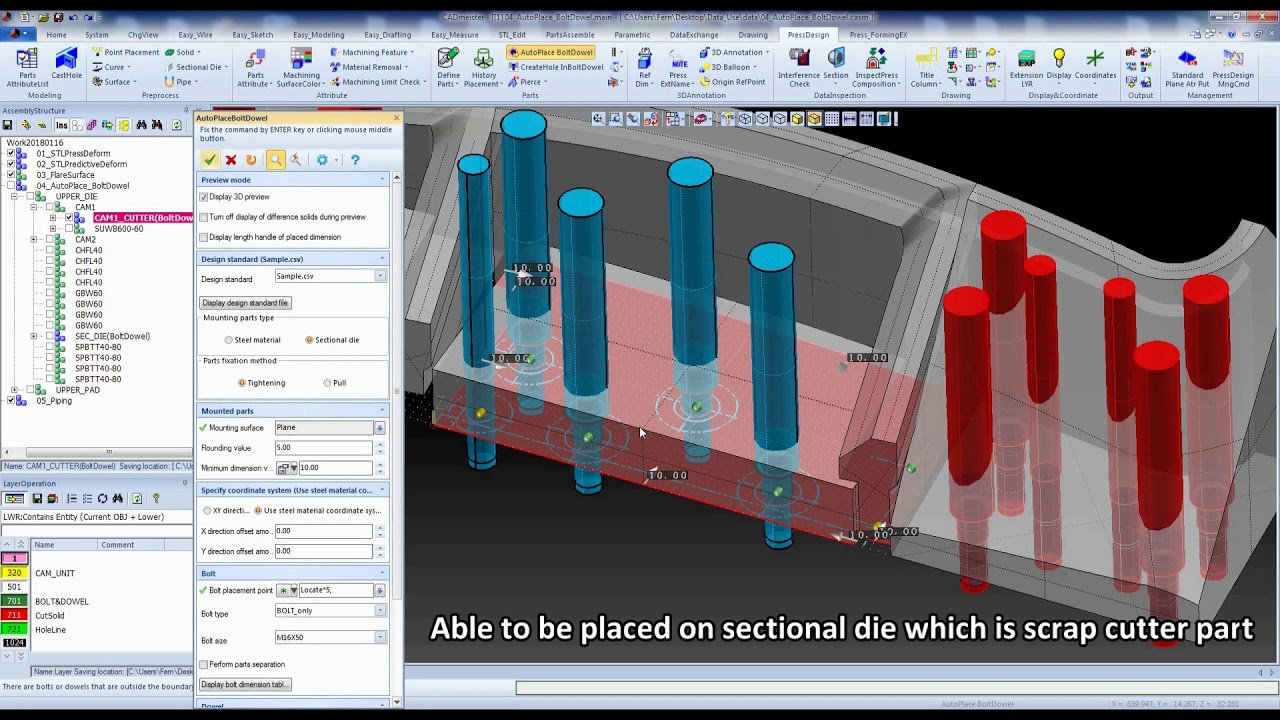
CADmeister supports CAD/CAM activities within mold design and manufacturing workflows, helping companies use data more consistently across different stages.
With CADmeister, companies can perform tasks such as:
- Product and mold design.
- Geometry editing and data preparation.
- Analysis related to mold design.
- Manufacturing data preparation.
- CAM programming for machining.
One of the key advantages is the connection between design and machining.
Instead of repeatedly transferring data between multiple systems, a better-connected CAD/CAM workflow can help engineers reduce data conversion tasks and respond more efficiently to design changes before machining begins.
4. Excess Hybrid – CAM Solution for Mold Machining
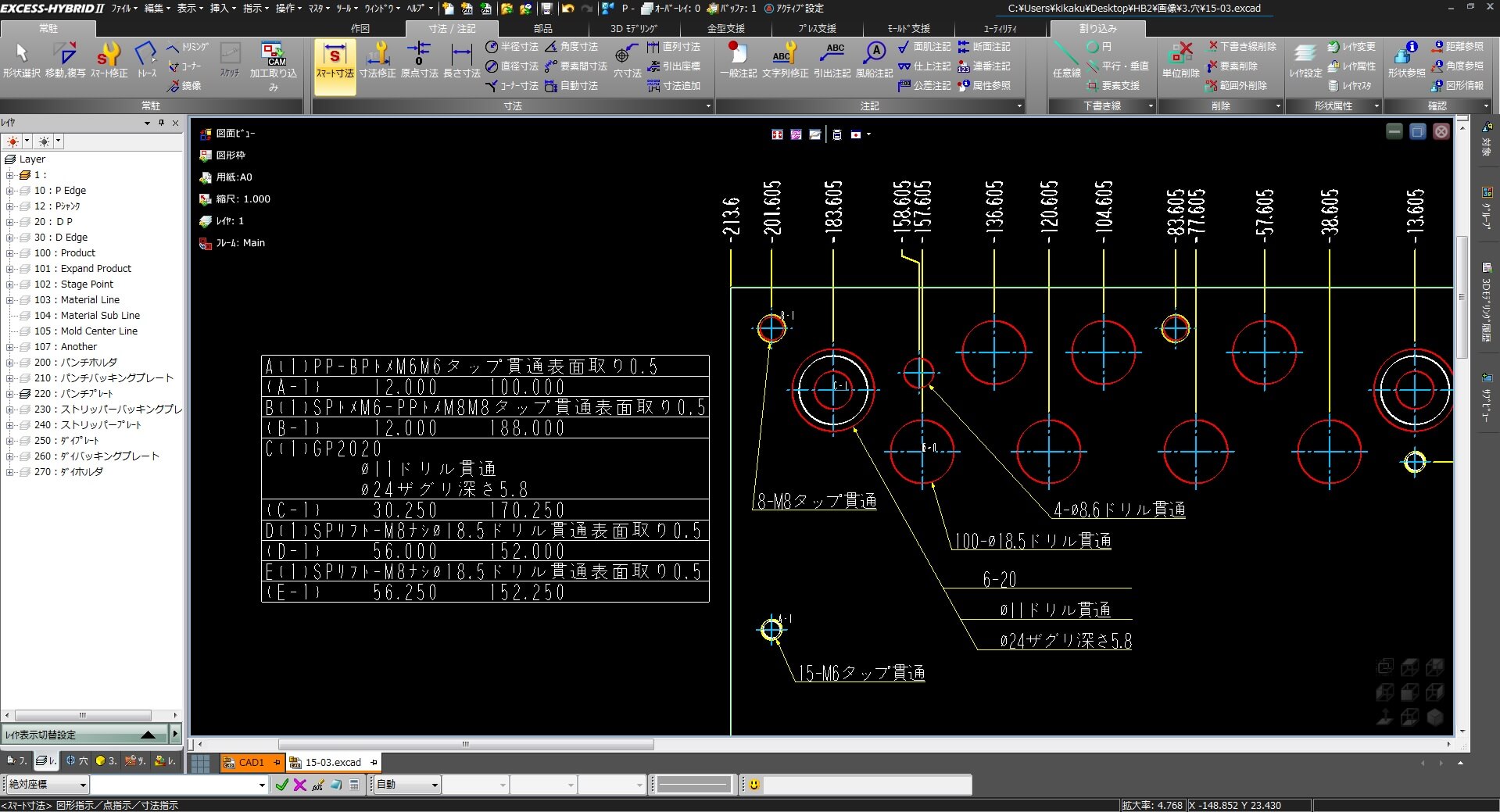
Alongside CAM-TOOL and CADmeister, Excess Hybrid is another CAM solution designed for mold machining applications.
The software supports toolpath generation for different machining conditions, with the aim of balancing machining efficiency, toolpath stability, and surface quality.
Companies may consider Excess Hybrid when they need to:
- Program CAM operations for mold machining.
- Generate and optimize toolpaths.
- Support high-speed machining strategies.
- Balance machining time and surface quality.
These capabilities should be evaluated based on the company's mold types, CNC machines, and actual machining conditions, rather than simply comparing the number of software features.
5. What Is the Difference Between CAM-TOOL, CADmeister and Excess Hybrid?
Although all three solutions can be used within design and manufacturing environments, they do not focus on exactly the same requirements.
| Solution | Main Strength | Suitable When Companies Need |
|---|---|---|
| CAM-TOOL | Specialized CAM for molds and complex 3D surfaces | Toolpath control and machining of complex geometries |
| CADmeister | Connected CAD/CAM for mold manufacturing | Integration between design, data preparation, and machining |
| Excess Hybrid | CAM for mold machining | Programming and toolpath optimization across different machining conditions |
The key question, therefore, should not simply be:
“Which CAM software is the best?”
Instead, companies should ask:
“Which solution best fits our parts, CNC machines, and current manufacturing workflow?”
This should be clarified before investing in a new CAM solution.
6. How Should Companies Choose CAM Software?
Software with more features does not necessarily deliver better results if those features do not address the company's actual machining challenges.
Before selecting a solution, several factors should be considered.
Type of product and machined parts
Plastic injection molds, press dies, die-casting molds, and general mechanical parts can require different machining strategies and toolpaths.
Geometry complexity
Complex 3D surfaces typically require more advanced toolpath calculation and control than parts with relatively simple geometry.
CNC machines and machining conditions
CAM software should be suitable for the machines, number of axes, cutting tools, and machining processes currently used on the shop floor.
Problems that need to be improved
Companies should identify where efficiency is currently being lost:
- Is NC programming taking too long?
- Do toolpaths require frequent adjustment?
- Are there too many non-cutting movements?
- Is surface quality inconsistent?
- Does CAD data require multiple conversion steps?
Identifying the actual problem makes it easier to focus on the CAM capabilities that matter.
Connectivity with CAD data
When design data changes frequently, CAD-to-CAM connectivity becomes increasingly important. Reducing unnecessary data recreation or conversion can help shorten manufacturing preparation.
Rather than comparing feature lists alone, companies should therefore evaluate CAM software using their own data, parts, machines, and actual machining conditions.
7. From CAD to CAM: How Can Companies Optimize the Design-to-Machining Workflow?
Machining efficiency does not begin only when an NC program is sent to a CNC machine.
If design data needs to be repeatedly converted, modified, or recreated before programming can begin, significant time may still be lost during manufacturing preparation.
A typical workflow can be illustrated as:
CAD Design → Data Preparation → CAM → Toolpath → NC Program → CNC Machine
When data flows more effectively between these stages, engineers can reduce repetitive tasks, respond to design changes more efficiently, and shorten the gap between design and manufacturing.
For this reason, companies should evaluate not only a CAM system's toolpath capabilities, but also how the software will fit into and connect with their existing workflow.
8. Find the Right CAM Solution for Your Machining Process
Choosing CAM software should not be based solely on the number of available features. More importantly, the solution should fit the company's parts, CNC machines, toolpath requirements, and existing manufacturing process.
For companies machining molds or complex parts, CAM optimization can begin with very specific challenges: reducing NC programming time, improving toolpath control, minimizing unnecessary movements, or connecting design data more effectively with machining.
New System Vietnam provides CAD/CAM solutions for mold design and machining, including CAM-TOOL and CADmeister, while supporting companies in evaluating solutions based on their actual manufacturing requirements.
👉 Contact New System Vietnam to discuss your current machining workflow with our technical team and identify a CAM solution that fits your manufacturing needs.
9. Frequently Asked Questions About CAM Software
What is CAM software?
CAM (Computer-Aided Manufacturing) uses software to support manufacturing preparation. In CNC machining, CAM is commonly used to define machining strategies, generate toolpaths, and create NC programs for CNC machines.
What is the difference between CAD and CAM?
CAD focuses on creating and modifying product designs, while CAM uses design data to prepare for machining. In a connected workflow, a CAD model can be used directly as input for CAM programming.
Which CAM software is suitable for mold machining?
There is no single CAM solution suitable for every mold application. Companies should consider part geometry, CNC machines, toolpath requirements, surface quality, and their existing CAD/CAM workflow before selecting a solution.
Can CAM software reduce CNC machining time?
CAM can help optimize toolpaths and reduce unnecessary machine movements. However, the actual improvement depends on factors such as part geometry, machining strategy, CNC machines, cutting tools, and production conditions.
Related posts
AI in R&D: What Should Companies Prepare for Effective Implementation?

Can AI Replace Design Engineers? The Future of AI in Engineering

How to Shorten Product Development Time: 5 Critical Factors Companies Often Overlook
Modern Product Development: Why Many Manufacturers Still Face Product Launch Delays