


















- PC Technical Specifications and Other Related System Requirements:
OVERVIEW OF 3D CAD/CAM/CAE SOLUTION SYSTEM FOR DESIGN, SIMULATION, AND MANUFACTURING – CADmeister
CADmeister is a comprehensive CAD/CAM/CAE software solution widely used across various industries such as automotive, aerospace, electronics, and machinery.
Table of Contents
1. Overview of CADmeister Software
CADmeister is a comprehensive CAD/CAM/CAE software solution widely used across various industries such as automotive, aerospace, electronics, and machinery manufacturing. Developed by UEL Corporation, CADmeister offers a broad range of features and functionalities for design, drafting, and manufacturing, making it a valuable tool for engineers and designers who need to create and manipulate complex 2D and 3D models.
The software provides a user-friendly interface that allows users to easily navigate and access its various tools. Its intuitive design makes CADmeister suitable for both beginners and highly experienced engineers, enabling them to create detailed and accurate designs. Simple operations help users quickly set up and become familiar with the system without requiring extensive training or in-depth technical support.
One of the standout features of CADmeister is its advanced 3D modeling capability. Users can create complex and realistic 3D models using a variety of tools, including parametric modeling, surface modeling, and solid modeling. These tools allow designers to accurately realize their ideas and concepts, enabling them to visualize the final product before actual manufacturing. This significantly helps reduce errors and save time, leading to shorter design iteration cycles.
In addition to 3D modeling, CADmeister offers a full set of 2D drafting and detailing tools. Users can create precise 2D drawings complete with annotations, dimensions, and symbols. The software also supports multiple file formats, enabling seamless integration with other CAD systems and facilitating collaboration with team members and customers.
CADmeister also includes comprehensive simulation and analysis tools that allow engineers to simulate and evaluate the performance of their designs. These tools help identify potential issues and optimize designs for better efficiency and functionality. Users can perform structural, thermal, and fluid flow analyses to ensure the integrity and performance of designed components or systems. This enables early detection and resolution of potential problems during the design phase, reducing the need for costly physical prototypes.
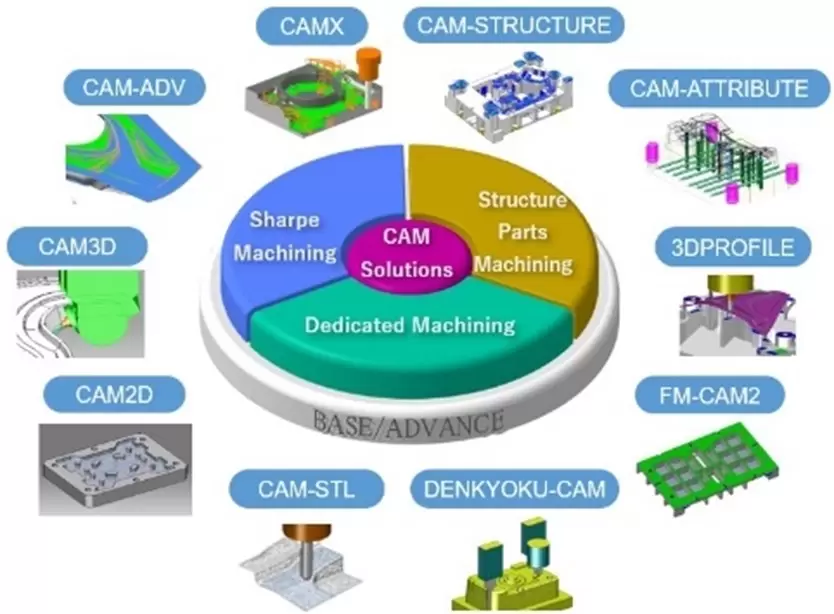
Furthermore, CADmeister provides extensive manufacturing support, including tools for toolpath generation, NC program creation, and manufacturing process simulation. These features help streamline production workflows and ensure accurate manufacturing of designed parts. The software supports interoperability with other CAD systems and industry-standard data formats, allowing users to import and export files in formats such as STEP, IGES, and DXF, ensuring seamless compatibility and collaboration with external stakeholders.
Beyond its core design and analysis capabilities, CADmeister offers additional modules and functionalities tailored to specific industry requirements. These modules include sheet metal design, mold and die design, mechanical and physical simulation, and flow analysis. Such capabilities enable CADmeister to be applied across a wide range of industries, making it an ideal solution for professionals in diverse fields.
Overall, CADmeister is a powerful and flexible software platform that delivers a comprehensive suite of CAD/CAM/CAE tools for design and manufacturing. Its user-friendly interface, high processing speed, and advanced features make it an ideal choice for professionals in various industrial sectors. CADmeister enhances productivity, facilitates design reuse, and provides advanced analysis tools for effective design validation.
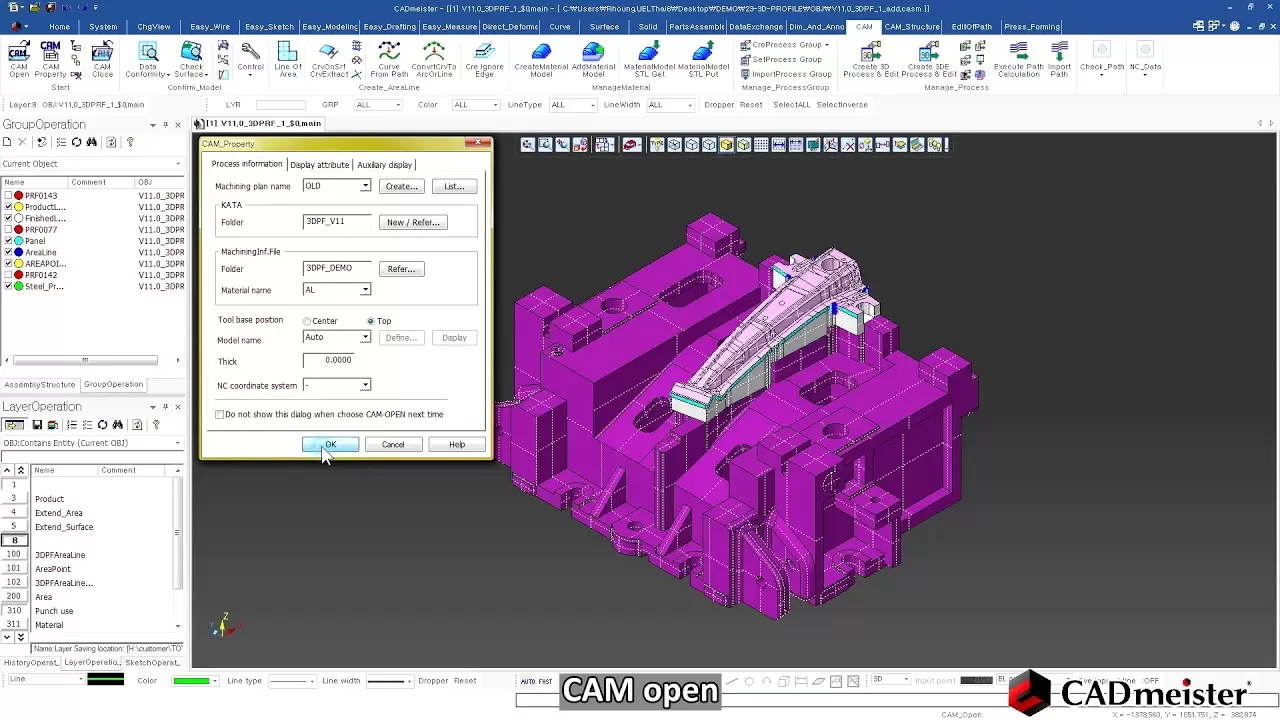
2. Main Functional Modules
An all-in-one system with advanced functions covering everything from Design to Planning and Manufacturing for mold and die makers.
- 2D & 3D CAD
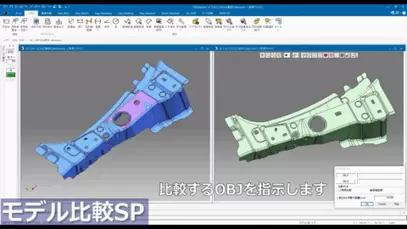
- PRESS DIE
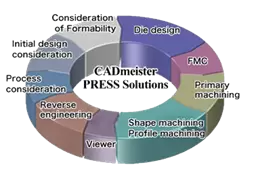
- MOLD DIE
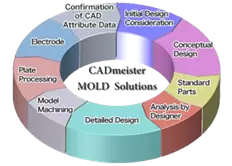
- 2D & 3D CAM
3. Recommended System Requirements for CADmeister
- Supported Operating Systems
|
Microsoft® Windows OS |
V7.0 V7.1 V8.0 V9.0 |
V10.0 |
V12.1 |
2020 |
2022 |
|
Windows® 11 (64bit version) |
- |
- |
- |
- |
○ |
|
Windows® 10 (64bit version) |
- |
- |
○ |
○ |
○ |
|
Windows® 8.1 (64bit version) |
- |
○ |
○ |
○ |
○ |
|
Windows® 7 SP1 (32bit/64bit version) |
○ |
○ |
○ |
- |
- |
|
Windows Vista® SP2 (32bit version) |
○ |
- |
- |
- |
- |
|
CADmeister 2022 |
Minimum System Requirements |
Recommended System Specifications |
|
CPU |
Intel® Pentium®Gold (4 Core or more) |
Intel® Xeon® |
|
RAM |
2GB |
8GB or more |
|
Hardware |
4GB |
8GB or more |
|
|
|
|
|
Monitor |
1280x1024 or more withTrue color |
|
|
OS |
Windows® 11 (64bit version) |
|
|
Required Software |
Microsoft Excel®、Microsoft Edge®、 |
|
Related posts

AI in R&D: What Should Companies Prepare for Effective Implementation?
What should companies prepare before implementing AI in R&D? Explore five key areas — data...

Is Virtual Twin Worth the Investment? Where Does ROI Come From and How Can It Be Measured?
Virtual Twin goes beyond simulation. Discover how businesses can reduce prototypes, rework...

Can AI Replace Design Engineers? The Future of AI in Engineering
Can AI replace design engineers? Discover how AI is changing engineering, the role of AURA...

When Does Your Business Need PLM? 7 Signs to Look For
When does your business need PLM? Discover 7 key signs, from version control issues and di...
Why Companies Still Experience Errors After Investing in CAD
CAD accelerates product design, but reducing engineering errors requires more than CAD alo...