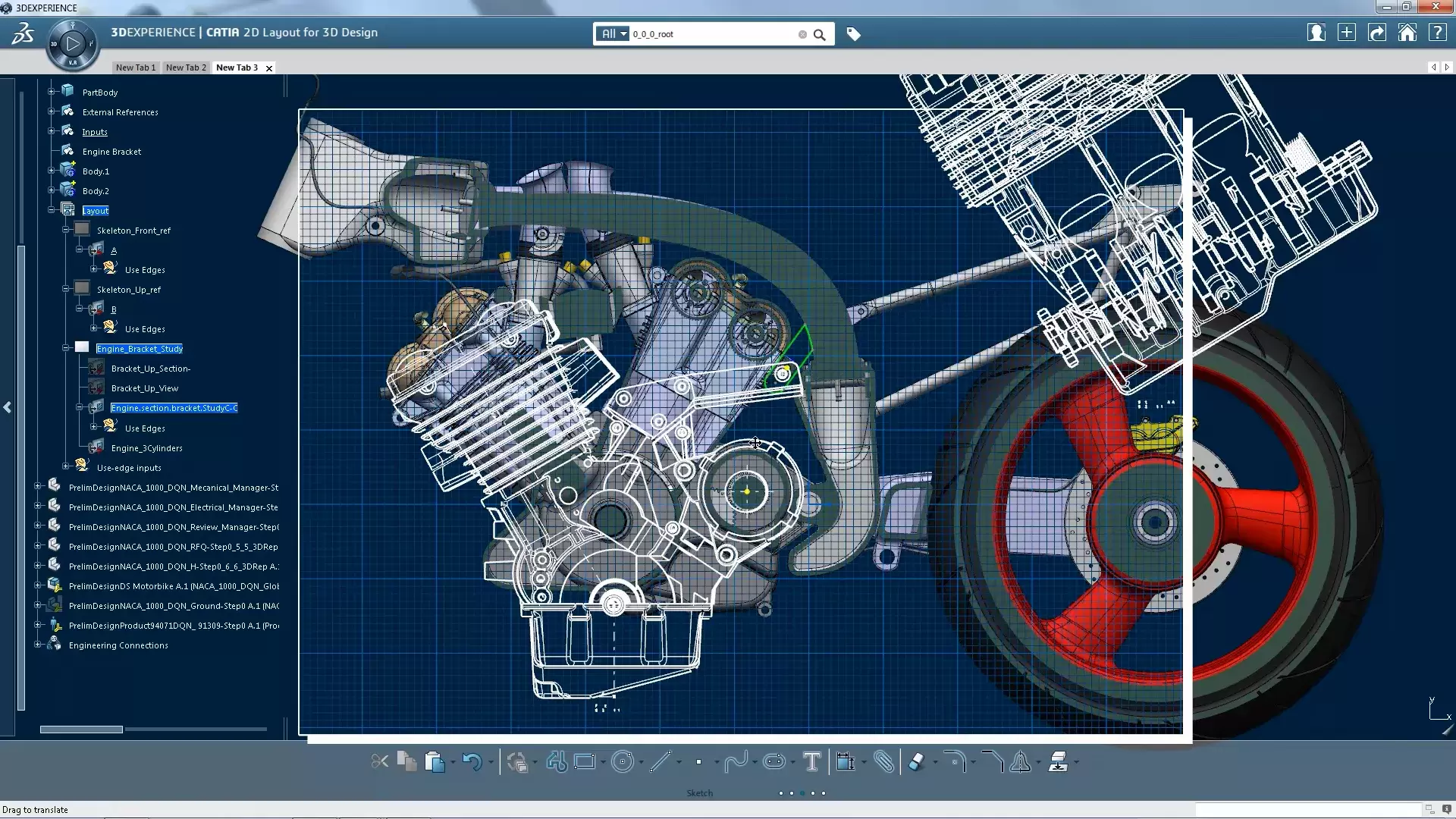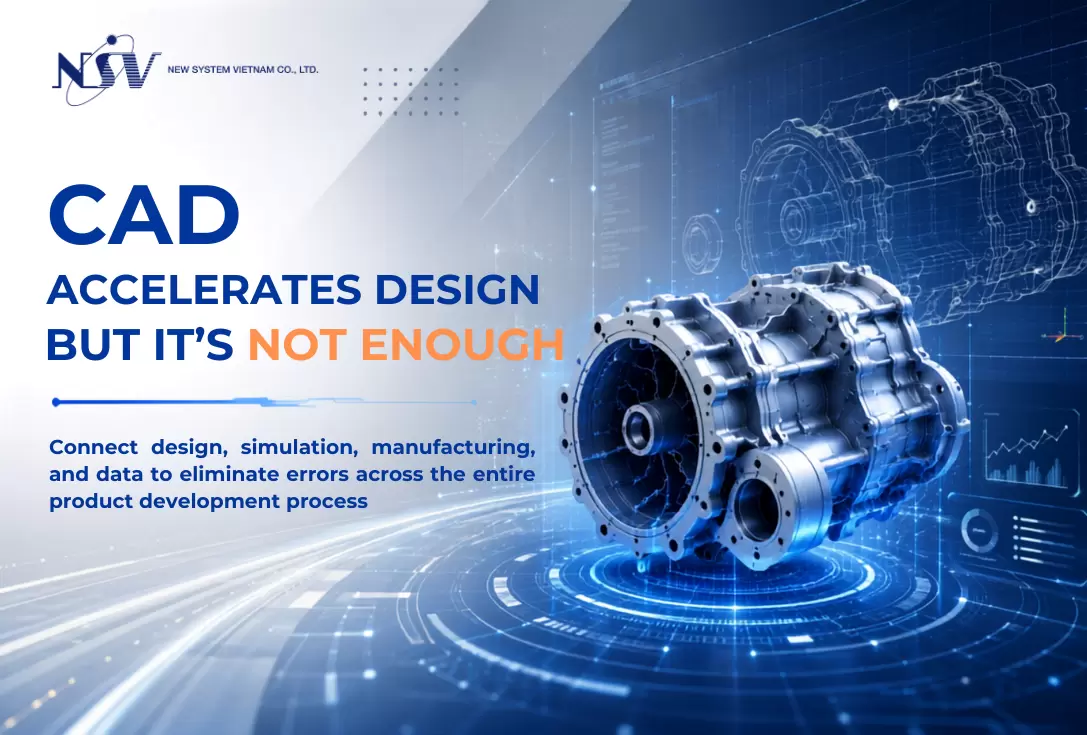








CATIA – the leading CAD/CAM software solution today.
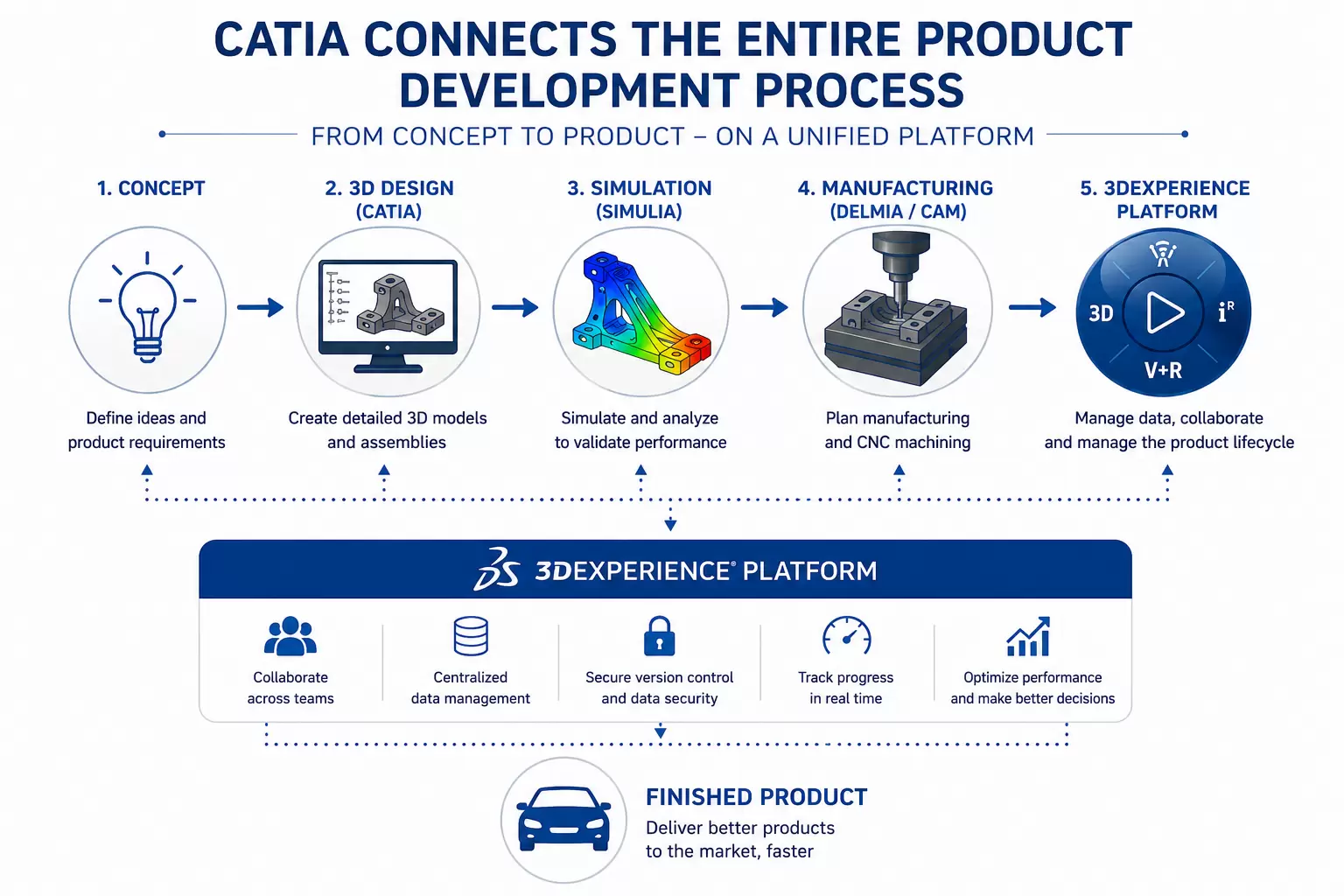
CATIA stands for Computer Aided Three-Dimensional Interactive Application. It is not only a CAD (Computer Aided Design) software package but also a comprehensive solution that integrates CAD, CAE (Computer Aided Engineering), and CAM (Computer Aided Manufacturing) to support the entire process of design, analysis, and manufacturing.
CATIA – the leading CAD/CAM software solution today. But why is it regarded so highly?
In the CAD/CAM software world, there are dozens of design and manufacturing tools, making it difficult for users to choose the one that best fits their needs—especially since each software comes with its own strengths and limitations. Constant comparison makes it hard to commit to a single tool as your core competency.
CATIA, a fully integrated solution with all the essential features for any CAD/CAM engineer, solves that problem.
What is CAD/CAM software?
What is CAD?
As mentioned, CAD (Computer Aided Design) refers to computer-assisted design tools used extensively by engineers to create, modify, or analyze graphical representations of product designs. CAD is present across countless industries due to its practical benefits.
CAD software enhances design quality through greater accuracy and reduced design errors. It also improves communication by centralizing design data and documentation, creating a single reliable source of information for engineers and manufacturers.
What is CAM?
CAM (Computer Aided Manufacturing) refers to computer-assisted manufacturing tools used primarily by manufacturers—not design engineers—to plan, manage, control, and automate production activities.
CAM software uses CAD models to generate machining instructions while optimizing production efficiency and material usage.
What is CATIA?
CATIA stands for Computer Aided Three-Dimensional Interactive Application.
Developed using C++ by Dassault Systèmes, CATIA is more than just a CAD package. It is a comprehensive suite that integrates CAD (Computer Aided Design), CAE (Computer Aided Engineering), and CAM (Computer Aided Manufacturing) within a single platform.

History of CATIA’s Development
In the late 1970s and early 1980s, CATIA was developed by Dassault, an aircraft manufacturer, to design the Mirage fighter jet. It was later adopted across the aerospace, automotive, shipbuilding, and various other industries.
In 1984, CATIA was honored to become the official 3D design tool of Boeing.
In 1988, CATIA V3 was migrated from mainframe computers to UNIX systems.
In 1990, the U.S. Navy officially selected CATIA as the 3D design tool for its nuclear submarines.
In 1992, CADAM was acquired from IBM, and in the following years, CADAM CATIA V4 was released. By 1996, it had been ported to four UNIX operating systems: IBM AIX, Silicon Graphics IRIX, Sun Microsystems SunOS, and Hewlett-Packard HP-UX.
In 1998, a completely rewritten version—CATIA V5—was released, with support for UNIX, Windows NT, and later Windows XP (starting in 2001).
In 2008, Dassault Systèmes announced CATIA V6, supporting Windows operating systems (while discontinuing support for legacy Dassault client OS environments).
CATIA Solution Levels
The CATIA engineering solution is divided into three levels:
- Platform 1 (P1): Includes modules for design support.
- Platform 2 (P2): Includes design modules plus analysis and simulation capabilities.
- Platform 3 (P3): Includes all P2 modules along with advanced and high-precision analysis tools for heavy industries such as aerospace and automotive.

Leading Features of CATIA Today
CAD
Product design from simple to highly complex models
Generative Shape Design
Integrated with advanced surface-modeling modules, enabling the creation of complex and high-quality surfaces, primarily used in the aerospace industry.
CAM
Supports all milling and turning modules, applying the most advanced machining strategies available today.
Analysis
Includes modules for dynamic analysis, structural analysis, and various engineering simulations for part performance evaluation.
Piping and Electrical Design
Provides dedicated tools for designing piping systems and electrical components.
Human Modeling
Allows ergonomic analysis to determine optimal distances, postures, and interactions for different human body types, helping to reduce fatigue during long-term operation.
Overview of CATIA's Engineering Capabilities
Mechanical Engineering
Create 3D models from surfaces, sheet metal, assemblies, molds, and more — with advanced features for styling, tooling, and BIW (Body-in-White). CATIA offers tools for product kinematics, as well as diverse mold and die design capabilities.
Industrial & Product Design
CATIA is a powerful solution for styling, aesthetics, and industrial design, enabling the creation, modification, and refinement of complex shapes. It also supports reading and exporting STEP and other standard formats.
Engineering Systems
CATIA provides a unique foundation for developing and enhancing engineering systems through a combination of modeling, simulation, validation, and business process support. This enables the creation of cyber-physical system representations.
It allows users to evaluate evolving system requirements, develop new system versions, and support technological innovation. CATIA fully supports Model-Based Systems Engineering (MBSE), including:
- Requirements Engineering
- Systems Structure Modeling
- Systems Behavior Modeling & Simulation
- Configuration Control & Lifecycle Traceability
- Automotive Embedded Systems Development (AUTOSAR Builder)
- Industrial Automated Systems Development (ControlBuild)
What Functions Does CATIA Support?
Part Modeling
The Part Design workbench allows users to create precise 3D mechanical components. From conceptual sketches to detailed parts, Part Design meets most mechanical design requirements.

Assembly Modelling
Allows users to collaborate using Part Design and Generative Drafting applications on scalable design projects. Various intuitive tools enable efficient 3D navigation through large assemblies.
Surface Modelling
Enables users to create wireframe construction elements and enhance existing mechanical part designs with surface and wireframe features.
Finite Element Analysis
Allows users to perform first-level mechanical analysis for 3D systems. This workbench includes:
- Generative Structural Analysis (GPS): for gathering mechanical behavior information.
- ELFINI Structural Analysis (EST): for advanced mechanical analysis.
- Generative Assembly Structural Analysis (GAS): for analyzing the mechanical performance of the complete assembly.
- Generative Dynamic Analysis (GDY): for working with dynamic response simulations.
Sheetmetal Part Design
Helps users perform feature-based hybrid modeling, enabling the design of sheet metal parts with concurrent engineering between unfolded and folded representations.
Rendering
Allows users to define material specifications shared throughout the product development process, as well as apply material mapping to parts and assemblies to produce realistic renderings.
Engineering Drawing Creation
Enables users to generate drawings from 3D parts and assembly definitions.
System Requirements for Installing CATIA
- Operating System: Windows XP / Vista / 7 / 8 / 8.1 / 10
- Memory (RAM): 8 GB or more recommended; 2 GB dedicated GPU
- Hard Disk: Requires 10 GB of free space
- Processor: Intel Dual Core or higher
What Is the Current Version of CATIA?
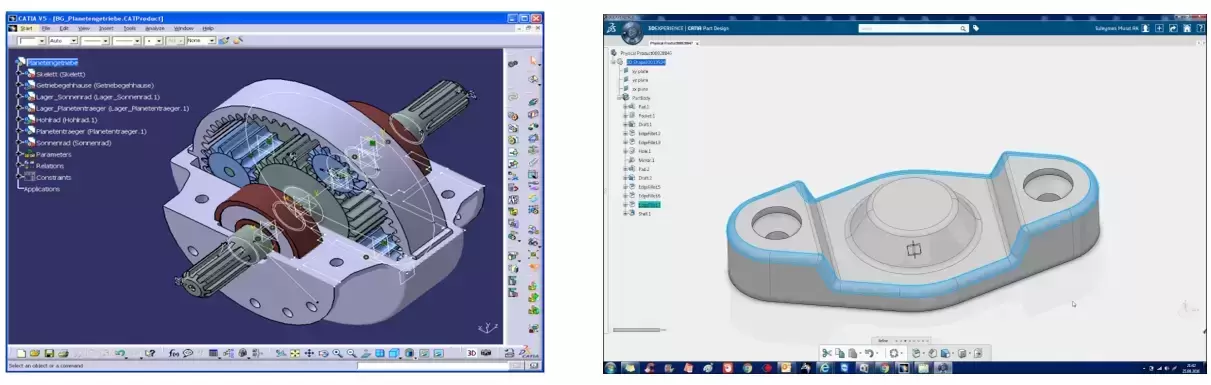
The first release of CATIA was introduced in 1977 by Dassault Systèmes. Today, CATIA is officially at version 6, commonly referred to as CATIA V6. However, the most widely used version globally remains CATIA V5. CATIA V4 is still used in certain industries, primarily in combination with V5.
Across major versions, CATIA has significant differences in usability and interface:
- From V4 to V5, design principles and workflow were fundamentally upgraded.
- From V5 to V6, data handling and system architecture changed dramatically.
Dassault Systèmes also releases yearly updates (service packs and releases) that enhance functionality within each version and provide bug fixes.
Conclusion
If your organization is seeking a premium CAD/CAM software solution with the most advanced capabilities—powerful enough to handle the most complex designs—CATIA is undeniably the top choice. Its adoption by leading global corporations is clear proof of why CATIA remains the industry-leading CAD/CAM software today.
NSV currently provides CATIA licenses with special pricing and long-term support. Contact us now for detailed consultation.